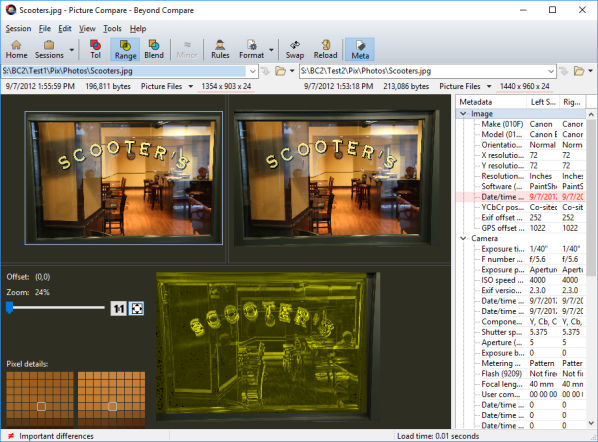
A Picture Compare session compares a pair of image files visually, showing the differences between them.
Supported image file types
The following file types are associated with Picture Compare by default:
GIF (*.gif)
Icons (*.ico)
JPEG (*.jpg)
Portable Network Graphics (*.png)
TIFF (*.tif)
Windows bitmap (*.bmp)
Depending on your operating system and installed third-party codecs, Picture Compare could also handle the following types:
Adobe PDF (*.pdf) 
Alias/Wavefront (*.rla;*.rpf)
Apple Icons (*.icns)
Autodesk (*.cel;*.pic)
Camera RAW images (*.3fr;*.arw;*.cr2;*.crw;*.dcr;*.dng;*.erf;*.fff;*.fpix;*.fpx;*.mos;*.mpo;*.mrw;*.nef;*.nrf;*.orf;*.pef;*.raf;*.raw;*.rw2;*.rwl;*.sr2;*.srf;*.srw)
Dr. Halo (*.cut)
Encapsulated Postscript (*.eps)
FAX images (*.efx;*.fax;*.g3;*.jfax;*.jfx)
JPEG (*.jpeg;*.jpe;*.jfif;*.exif)
JPEG 2000 (*.jp2;*.jpf)
JPEG XR/HD Photo (*.jxr;*.wdp) 
Kodak Photo-CD (*.pcd)
Macintosh PICT (*.pct;*.pic;*.pict)
MacPaint (*.mac;*.pnt;*.pntg)
Misc (*.cur;*.epi;*.exr;*.hdr;*.jps)
Netpbm (*.pbm;*.pgm;*.ppm)
Photoshop (*.psd;*.pdd)
Postscript (*.ps)
QuickTime image (*.qti;*.qtif)
SGI (*.bw;*.rgb;*.rgba;*.sgi)
TIFF (*.tiff)
Truvision (*.tga;*.icb;*.vda;*.vst;*.win)
Windows bitmap (*.dib;*.msk;*.rle)
Windows metafile (*.emf;*.wmf)
X PixMap (*.xpm)
ZSoft Paintbrush (*.pcc;*.pcx;*.scr)
See also